
Virtual Cooking
At a Glance
I love cooking, but I hate what pulls me away from it — checking my phone for a measurement, a step, or a timer. Virtual Cooking is a VR/AR concept that keeps the recipe, the ingredients, and the timer in view the whole time, so your hands never have to leave the food.
Identifying the problem
1Cooking is something I genuinely enjoy — but following a recipe rarely stays enjoyable for long. Every few minutes I'm wiping my hands to unlock my phone: checking an ingredient amount, scrolling back to the step I was on, glancing at a timer I forgot to start. Ingredients, instructions, and timing are the three things a recipe actually asks of you — and they're exactly the three things that keep interrupting the cooking itself.
Virtual Cooking imagines a VR/AR headset that puts all three where you're already looking. The instruction manual sits in the upper left of your view, ingredients and a running timer on the right — nothing to unlock, nothing to wipe off, nothing to look away from the stove for.
This is a concept, not a working product — today's VR/AR headsets are still too heavy and clunky to wear comfortably through an hour of cooking. But headsets keep getting lighter and less intrusive, and I think this becomes a genuinely viable idea once they do. It's also easy to imagine this mattering most somewhere other than a home kitchen: restaurants routinely cook for different numbers of people and switch between recipes all night — exactly the two things this concept is built to handle.
Design process
2Most VR interfaces are surprisingly flat — floating 2D windows dropped into a 3D space, using none of the depth VR actually offers. I wanted to actually build with the third dimension instead of ignoring it, and to give the whole interface a distinct visual identity: everything here is modeled with a brushed-metal look, echoing the pans, knives, and utensils already sitting on the counter. Every interaction is designed to work without a controller — clicks and simple hand gestures are the only input the whole concept ever asks for.
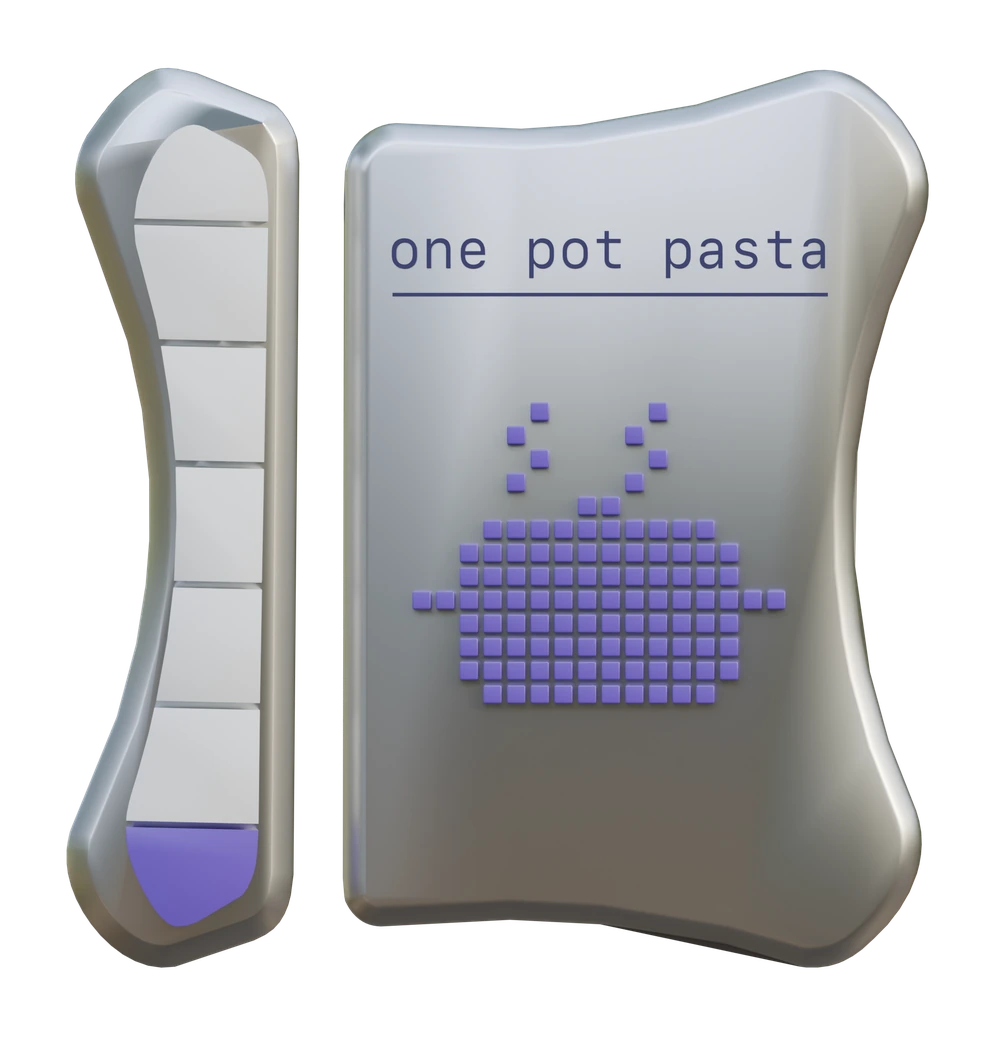
Every Step in View
The left panel is the instruction manual. A progress bar tracks which step of the recipe you're on, with the current step itself shown right beside it — always in view, never more than a glance away.
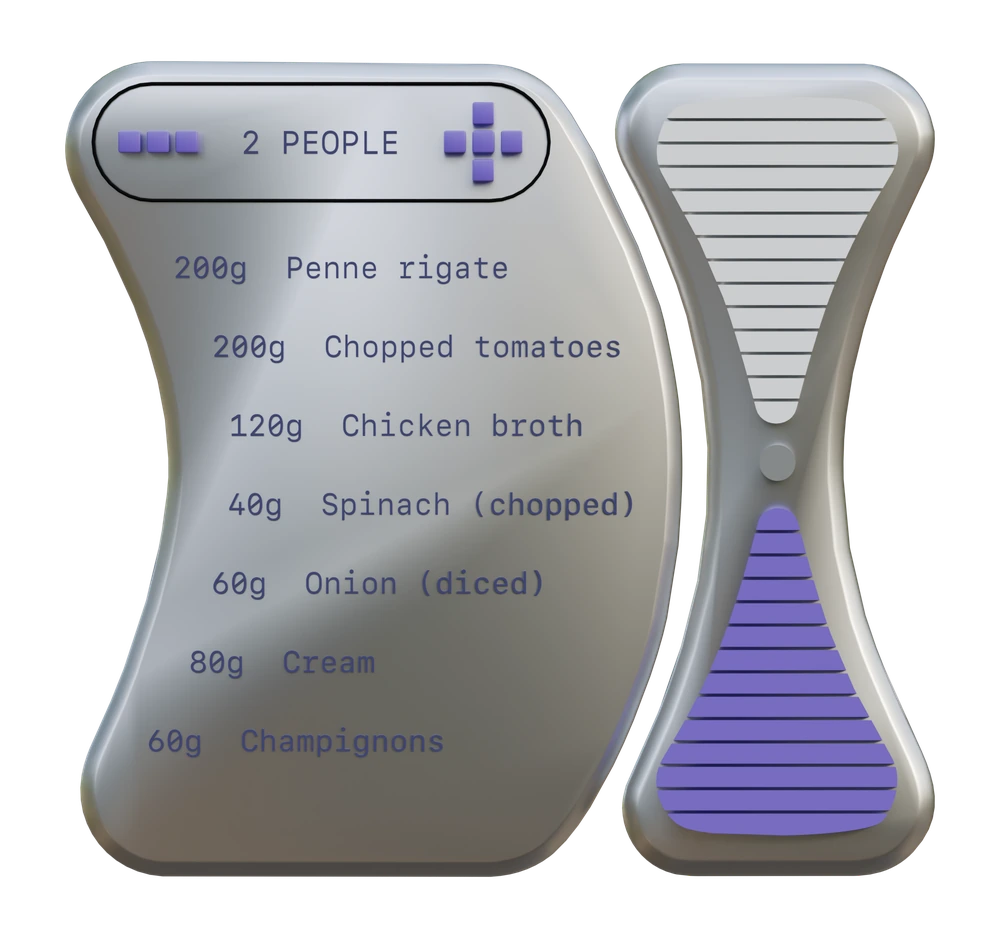
Ingredients That Scale
The right panel holds the ingredient list, with a control to adjust the serving size on the fly. Beside it, a running timer counts down visually — click it, and it opens into a full-screen timer view.
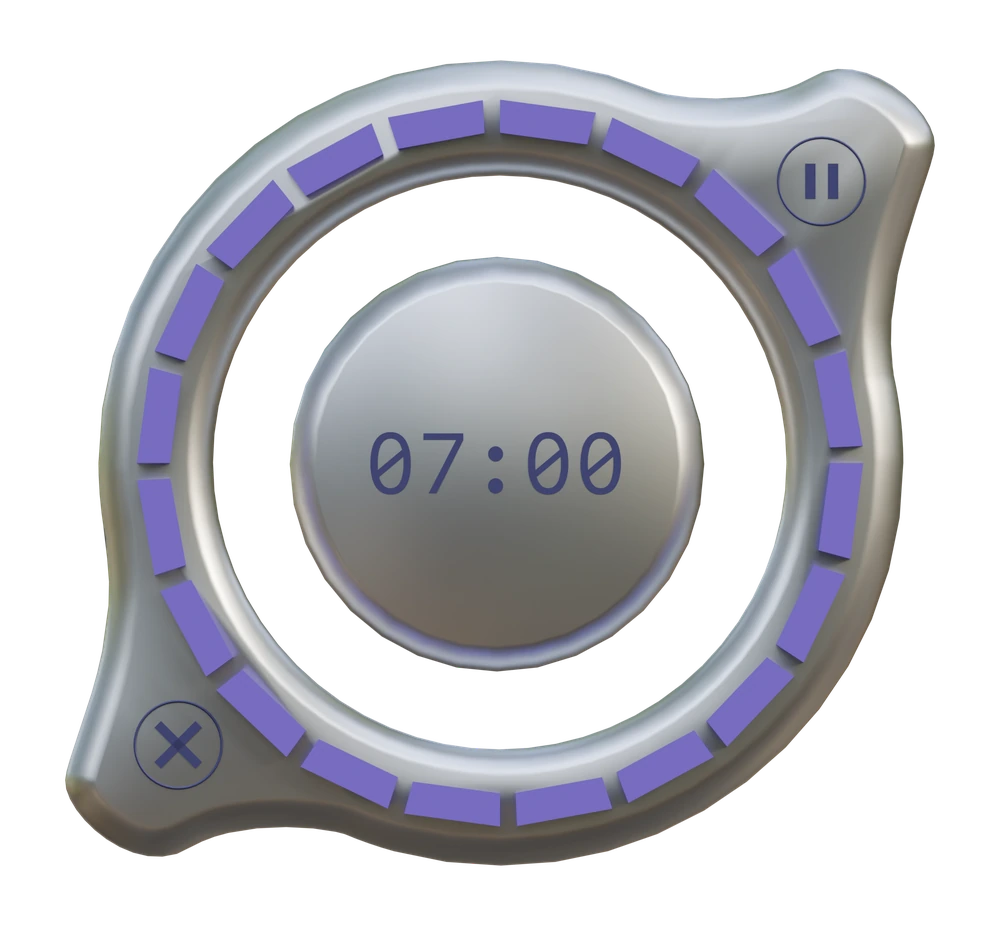
Set by Gesture
Clicking the countdown on the right panel opens this full-screen timer, where the time can be set or adjusted with a simple gesture.
Each panel started as a 3D model in Blender, shaped into that brushed-metal form language before being exported into Three.js.
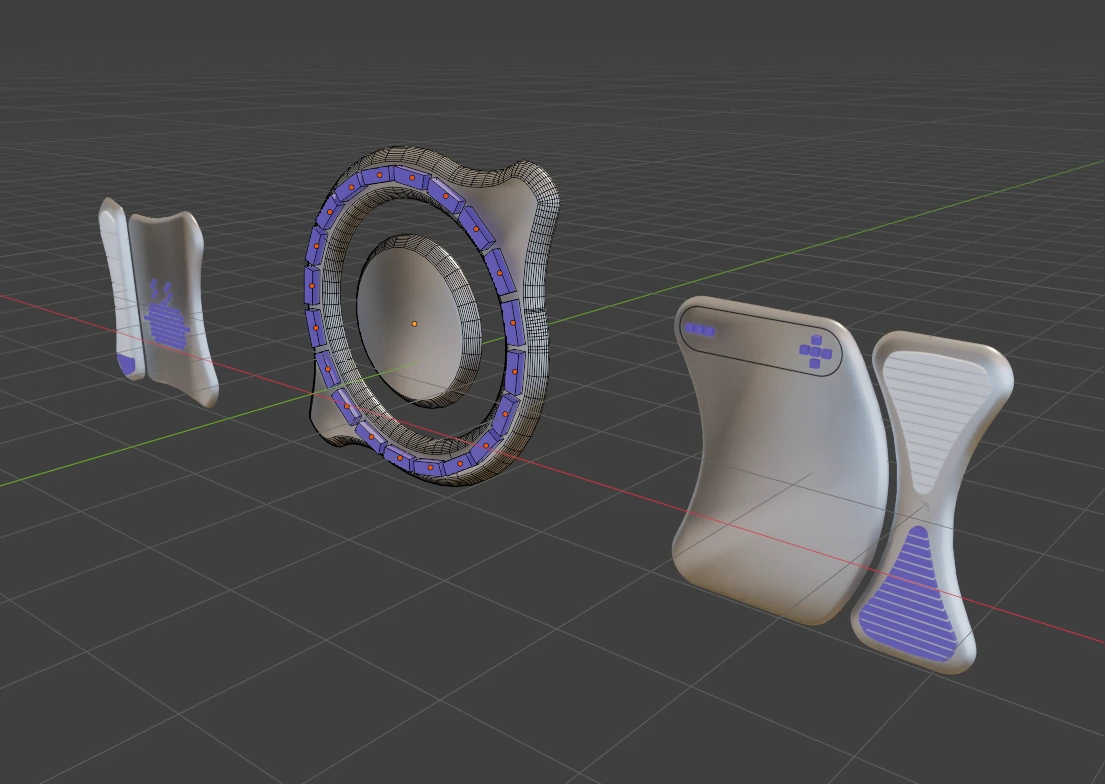
From there, the scene came together in VS Code with Claude Code — a real background video shot on a GoPro, with the 3D panels layered on top and wired up to respond to clicks.
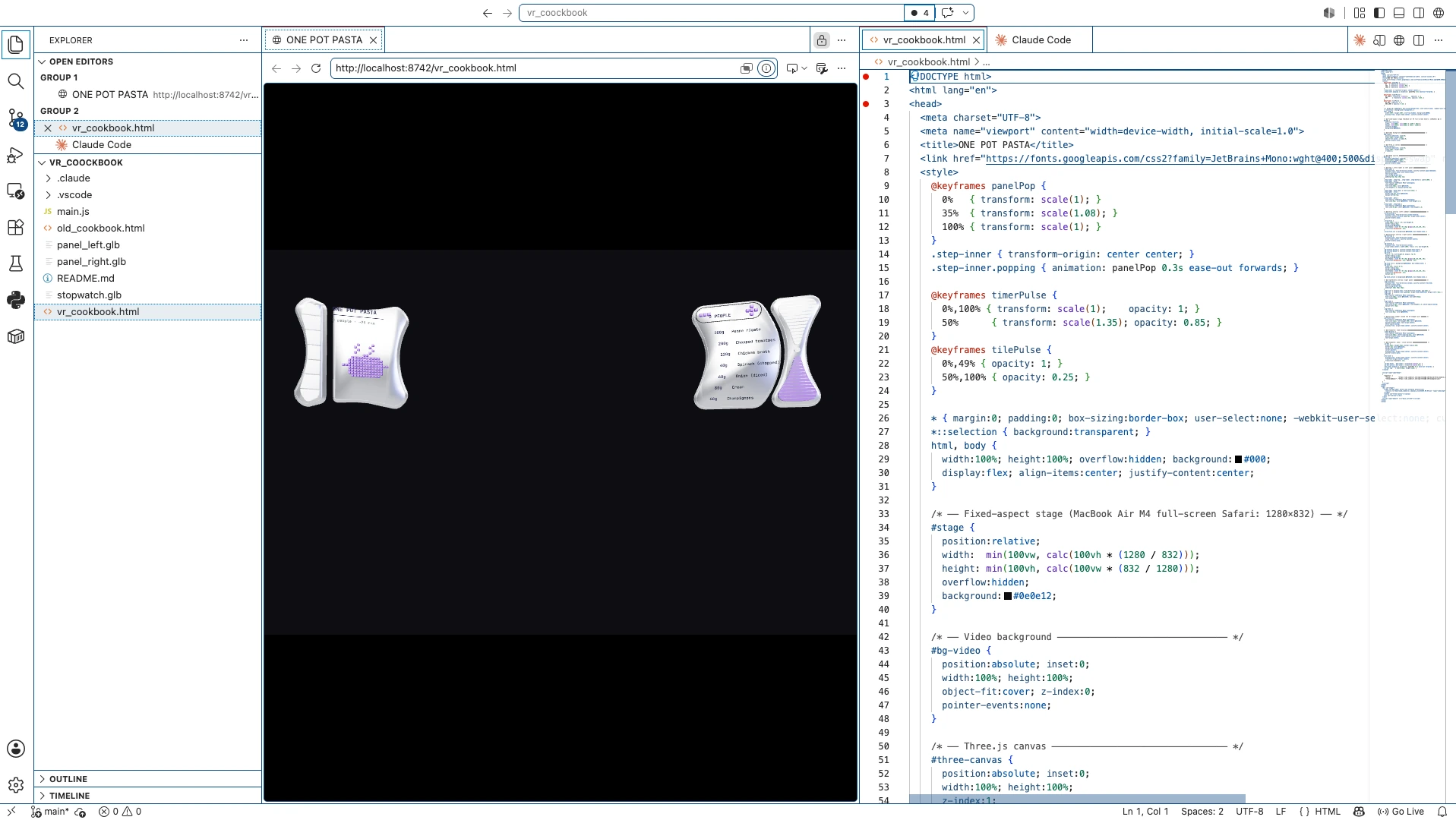
Final result
3Instruction manual
A look at the finished instruction panel in action — flipping through recipe steps with a simple click, hands otherwise free the entire time.
Timer & ingredients
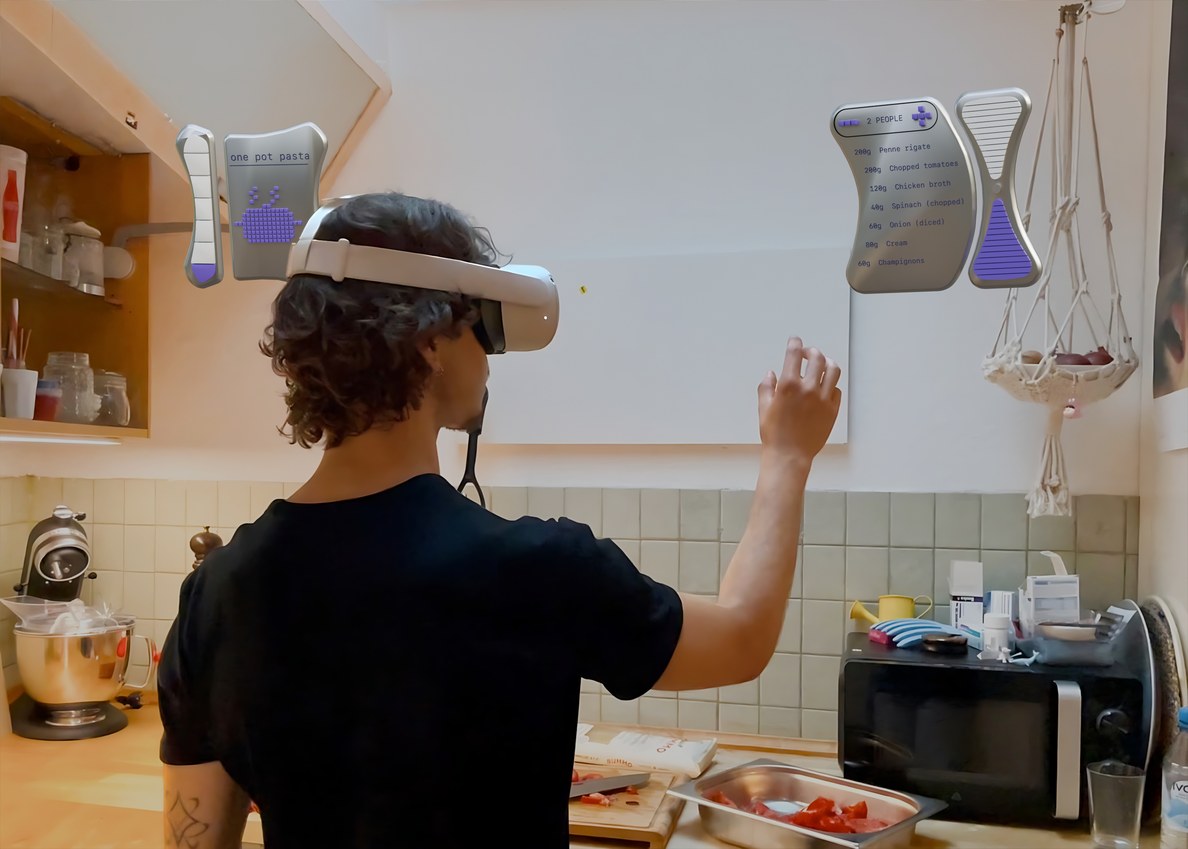
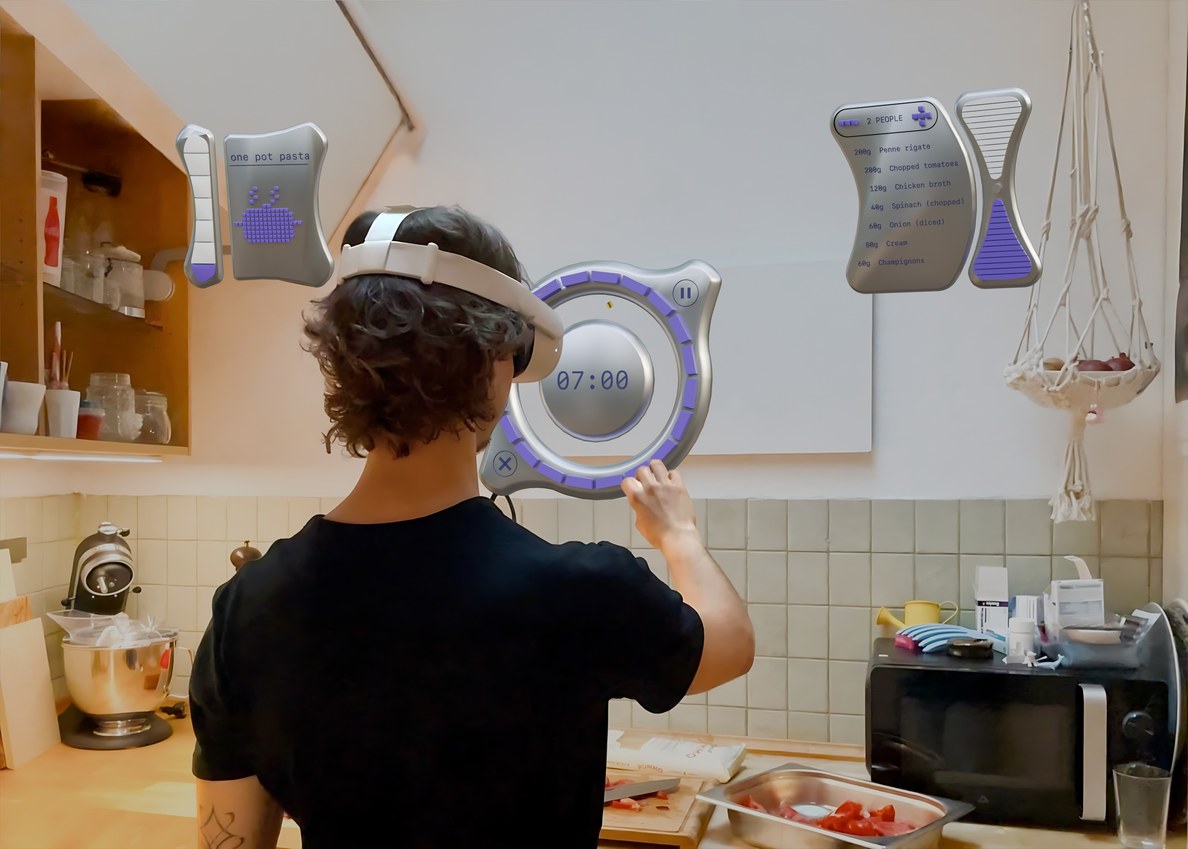
The finished right-hand panel: ingredient quantities adjust to however many people you're cooking for, and the running timer opens into the full gesture-controlled view the moment you click it.